 HiHD

Reference example
I Love The SmithTry the scene from either side.
Who notices the music first? Put one person behind the headphones and the other in charge of breaking the silence. Swap the portraits and see which casting feels more like you.
Clear left and right rolesSwap photos in one clickSample portraits to explore
Your creative workspace
Choose who breaks the silence
The selected preset guides the new scene. The example and your render can differ in timing, sound and appearance.
Check the casting before Create
Swap roles reverses your references; existing videos are unchanged.
01 · Left · headphone listener02 · Right · starts the conversation
Two portraits, one encounter
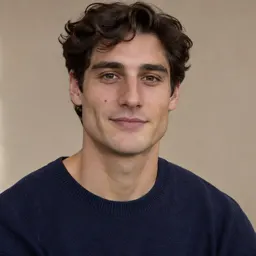
The reference video and sample portraits come from the source site. They illustrate the assigned roles and are not a generated result from this service.
Reference media from the source site shows the creative direction. It is not a result generated by this service; your output may differ.
CASTING MAKES THE JOKE
The same two faces can tell a different story.
The listener’s pause and the speaker’s confidence give the scene its contrast. Assign the roles deliberately, then use a small reaction rather than a complicated action sequence. Swapping the reference photos changes the requested casting; it does not edit an already generated video.
01
Left: the headphones make a private moment visible.
02
Right: a short remark becomes the invitation to respond.
03
Together: the shared look resolves the encounter.
Try the casting before you commit
Exploring roles and samples does not create a video. Generation is a separate action.
Add the two faces
Keep one adult per photo. Use similar crop sizes so neither role starts at a disadvantage.
Try the reverse
Press Swap roles to reverse the references. Check the labels before choosing your output settings.
Create your preferred version
Confirm your permission, inspect the quote and generate. Review the finished clip in your results.
Give each role a clear starting point
Keep the eyes visible
Sunglasses, hair across the face and heavy shadows weaken expression cues.
Use similar face sizes
A tiny face beside a tight close-up can make the pairing harder to interpret.
Swap before generating
The role swap updates the input photos. A new casting needs a new generation request.
Know the cost first
View credit plansExplore first. Review the quote next.
MiniMax H3 starts at 15 seconds and 768P for this scene. Change duration or quality to update the general-credit quote, and review it before submitting.
Before you make the scene
Do we have to be a couple?
No. Two consenting adults can play the roles as friends, partners or colleagues. The prompt uses listener and speaker rather than assigning a gender.
What does Swap roles change?
It reverses the two input references. The left role remains the headphone listener and the right role remains the speaker.
Can I try it without my own portraits?
You can load the marked source samples to inspect the arrangement. Generating with any images is still a separate action with a displayed quote.
Will swapping edit my finished video?
No. It only changes the next request’s input arrangement. Existing results remain in your creations; generating a second version has its own cost.
How much does a render cost?
The editor shows the HiHD credit quote for your selected model and output settings before you generate. The Pricing page lists the available plans and credit packs.
Let the other one say it first.
Swap the roles before you choose your take.
Start creating