 HiHD
My calendar said meeting. My shoulders said otherwise.
Hotline Bling AIA red jacket. Your kind of rhythm.
Turn one photo into a slow, playful dance: a wave of the hand, a shoulder roll, a perfectly unhurried side step. Choose the red-puffer direction for a person or a pet, and make the reaction your own.
One reference photoPeople and petsAdd permitted music when posting
Your creative workspace
Set your dance direction
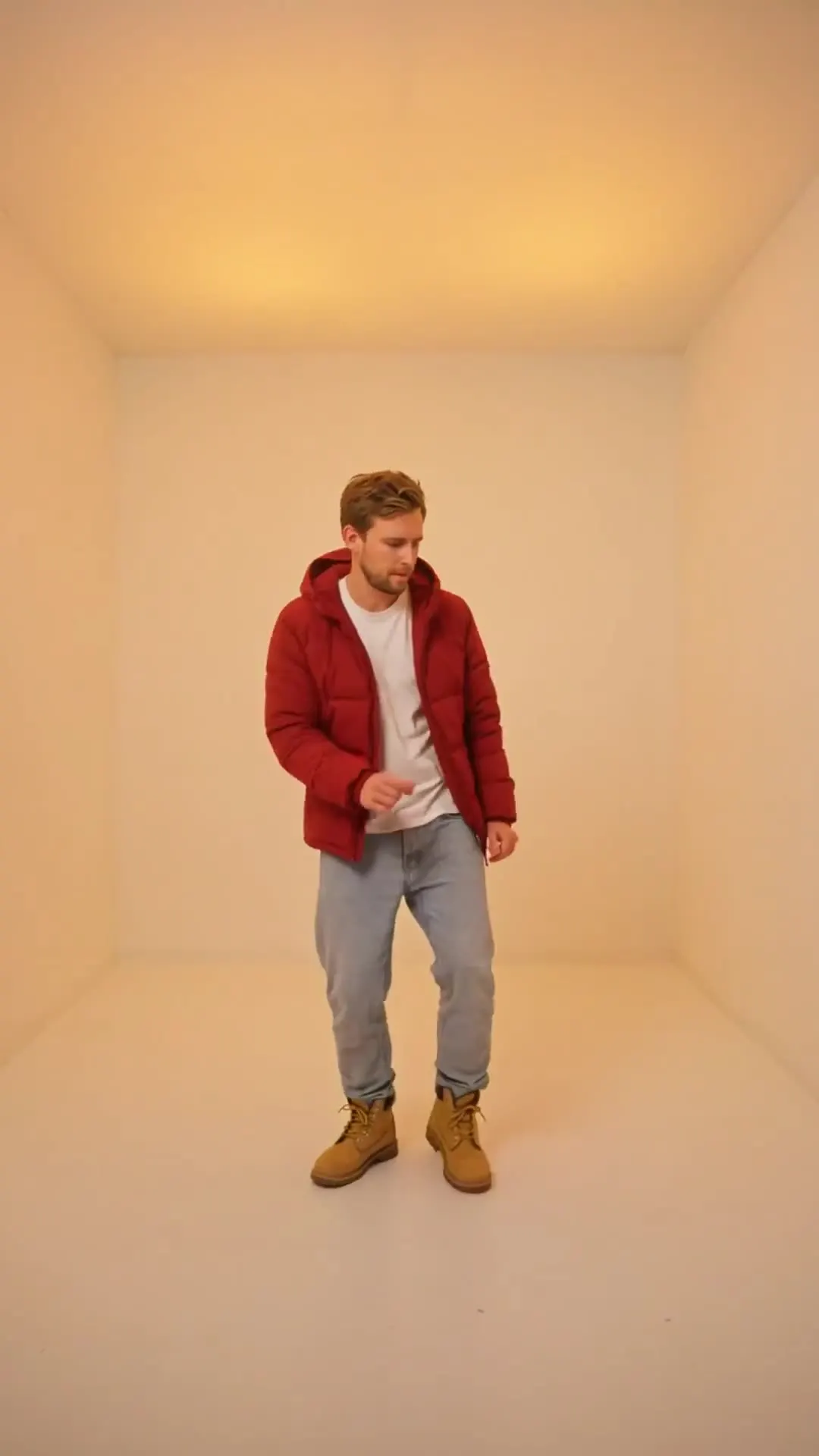
The selected preset guides the new scene. The example and your render can differ in timing, sound and appearance.
A caption to match your take
Choose an original line, adapt it, and label the post as AI-generated. Music rights are separate.
One small wave for a very long week.
The treat bag opened. The performance began.
The red-puffer reference
The source still establishes the jacket and pastel-room look. It is a scene reference, not a generated video result. Each direction below requests a different opening.
Reference example
Red-puffer opening
Reference example
Pastel-room wave
Reference example
Pet in the jacket
Reference media from the source site shows the creative direction. It is not a result generated by this service; your output may differ.
LET THE MOVE BREATHE
The joke lives in the slow reaction.
This dance direction uses spare rooms, colored light and deliberately relaxed gestures. Keep the sequence short enough to read without the song: one wave-off, a shoulder roll and a pause can carry the whole clip. Your generated version is an interpretation, not a recording of the original choreography.
01
Start with the jacket and room already readable.
02
Give the wave-off a full beat before moving the shoulders.
03
End on a pose that can double as the cover frame.
One photo, a few clear moves
The scene selector changes the requested character and opening, while the model controls available length and quality.
Pick person or pet
Choose the main red-puffer scene, the pastel-room opening or the pet interpretation.
Add your reference
Upload a clear photo you have permission to use. Check the model’s supported duration and the quote.
Finish the post
Review the generated motion and audio. Add permitted music in your social app and use the AI-generated label.
Keep the dance readable
Show the hands
Tightly cropped arms give the model little guidance for the wave-off.
Keep pet features clear
A front-facing pet photo helps preserve the eyes, muzzle and fur pattern.
Use a short caption
Let the visual joke do the work; a single original line is enough.
Know the cost first
View credit plansCheck the cost for this take
MiniMax H3 starts at 8 seconds and 768P for this scene. Change duration or quality to update the general-credit quote, and review it before submitting.
Before you make the scene
Can my pet do this dance?
The pet direction requests a fictional upright dance in a small red jacket. Use a clear pet reference and check for distorted paws or uncomfortable-looking movement.
Does it include the original song?
No original recording is promised or bundled. The prompt requests original audio or silence; add permitted music in your publishing app if desired.
Is this a dance tutorial?
It is a photo-to-video generator with scene directions. It does not teach or measure dance technique.
How long will my clip be?
Use the duration offered by the selected model in this editor. The source reference’s timing does not override this site’s supported output settings.
How much does a render cost?
The editor shows the HiHD credit quote for your selected model and output settings before you generate. The Pricing page lists the available plans and credit packs.
Let the shoulder roll speak.
Choose a direction and bring one clear photo.
Start creating